November 13, 2026
How to Rank on Google Maps in Multiple Cities (Not Just Near Your Shop)
How to rank on Google Maps across a whole metro: why rankings fade miles from your pin, and the profile, page and review setup that wins each city.
Part of our guide: google business profile for contractors
TL;DR: Google Maps rankings fade a few miles from your pin because distance is one of Google’s three main local ranking factors. To rank in more than one city, give each important city its own real, staffed office with its own Google Business Profile, a city page on your website that the profile links to, and a steady flow of local reviews and photos. Then track rankings street by street to find your next city.
Every home service owner wants the same thing. Somebody searches “water heater repair” or “roof leak repair” anywhere in your metro, and your company shows up in the top three on the map. Not just around your shop. Across every city you drive to.
Most owners try to get there by adding more cities to their service area or stuffing city names into their website. Then they check the map from a customer’s house 12 miles away and they’re nowhere.
That’s not a broken profile. That’s how Google Maps works. One profile ranks strongest close to its pin and fades out with distance. The owners who show up across a whole metro do it with a profile in each city that matters, plus pages and reviews that tie each profile to its area.
This post shows you exactly how that works, what each city needs, and how to see where you rank today, street by street. This is part of our guide to Google Business Profile for contractors.
Why does your Google Maps ranking drop off a few miles from your office?
Your Google Maps ranking drops off a few miles from your office because Google ranks local results on relevance, distance and prominence, and distance is measured from your business location to the person searching. The farther a homeowner is from your pin, the more nearby competitors Google puts ahead of you.
Google says it plainly on its local ranking help page: “Distance refers to how far each business is from the customer who’s searching.” The same page says “There’s no way to request or pay for a better local ranking on Google.” So you can’t buy your way past distance on the map.
The experts back this up:
- In Whitespark’s 2026 Local Search Ranking Factors, “proximity of address to the point of search” is the number two map factor, and “physical address in city of search” is number four.
- Google’s 2021 local update made distance count even more. Joy Hawkins of Sterling Sky wrote that the Vicinity update “heavily increased the weight of proximity in rankings and reduced the impact of keywords in business names.”
- In a BrightLocal recap of an expert panel, the experts said service-area businesses “rank, on average, within a two-mile radius of their address,” while a storefront location “can rank anywhere from five to ten miles away.”
Picture a plumber based in Mesa. Searches near the shop show them in the top three. In Gilbert, they slide to sixth. In Chandler, they’re off the first screen. Same profile, same reviews. The only thing that changed is the distance.
When we run a street-by-street grid for a new home service client, we almost always see the same picture: strong rankings in a tight circle around the pin, then a fast fade as you move toward the next town. The owner usually thinks something is wrong with their service area settings. Nothing is wrong. That fade is the map telling you where your next profile should go.
How do you rank on Google Maps in more than one city?
You rank on Google Maps in more than one city by having a real, staffed office in each city you want to win, giving each office its own Google Business Profile, and backing each profile with a city page, its own phone number and steady local reviews. Each office gets its own pin, so each one gets its own ranking radius.
The first thing to know is what doesn’t work. Adding cities to your service area doesn’t move the map. Google lets you set up to 20 service areas, but in Whitespark’s 2026 survey, setting service areas ranks number 152 as a map factor. The BrightLocal panel was blunt: “Adding service areas to a storefront listing will not help you rank.” Service areas tell customers where you go. They don’t create a new pin.
What does work is a new pin, done the right way. Google’s guidelines allow one profile per real location: “Do not create more than one page for each location of your business, either in a single account or multiple accounts.” So a new profile needs a new office that is actually staffed. A virtual office or a rented mailbox doesn’t qualify, and building on one puts the profile at risk.
Here’s the order we use when a client opens a new office:
- Pick the city by the data. Look at where your current profile fades out on a grid and where calls already come from. That edge is the best spot for the next office.
- Open a real office. A lease, staff working there during business hours, and trucks or equipment based there.
- Set it up as its own business. A separate Google account and email, a local phone number and its own city page on your site.
- Create and verify the profile. Google says verification reviews take up to 5 business days. Our verification guide covers how to pass video verification the first time.
- Split the service areas. Each profile covers the towns around its own office. The BrightLocal panel warned that overlapping service areas across listings “is a cause for suspension.”
- Feed it every week. Reviews, photos and posts from jobs in that city.
We walk through every launch step in how to launch multiple Google Business Profiles.
One more tactic to skip: keywords in the business name. “Smith Plumbing Mesa Gilbert Chandler” breaks Google’s rule that “including unnecessary information in your business name isn’t permitted,” and the Vicinity update hit stuffed names hard. Use your real name and let the pins do the work.
What does each city need: a profile, a page, or both?
Each city you want to win on the map needs both: a Google Business Profile for a real office in that city, and a city page on your website that the profile links to. The profile gives you the pin and the radius. The page gives Google and customers proof that you actually work there.
The two do different jobs, and here’s how they split:
| What it does | City profile | City page |
|---|---|---|
| Gives you a new pin on the map | Yes | No |
| Ranks in the map pack for nearby searches | Yes | Helps |
| Ranks in regular Google results below the map | No | Yes |
| Shows local reviews, photos and job proof | Yes | Yes |
| Can be built without a real office | No | Yes |
That last row matters. A city page alone won’t put you in the map pack 15 miles from your pin, but it can still rank in the regular results under the map. Whitespark’s 2026 report ranks a dedicated page for each service as the number one factor for local organic results, number 24 for the map pack, and number 2 for AI search visibility. So build pages for every city you serve, and add profiles where you have real offices.
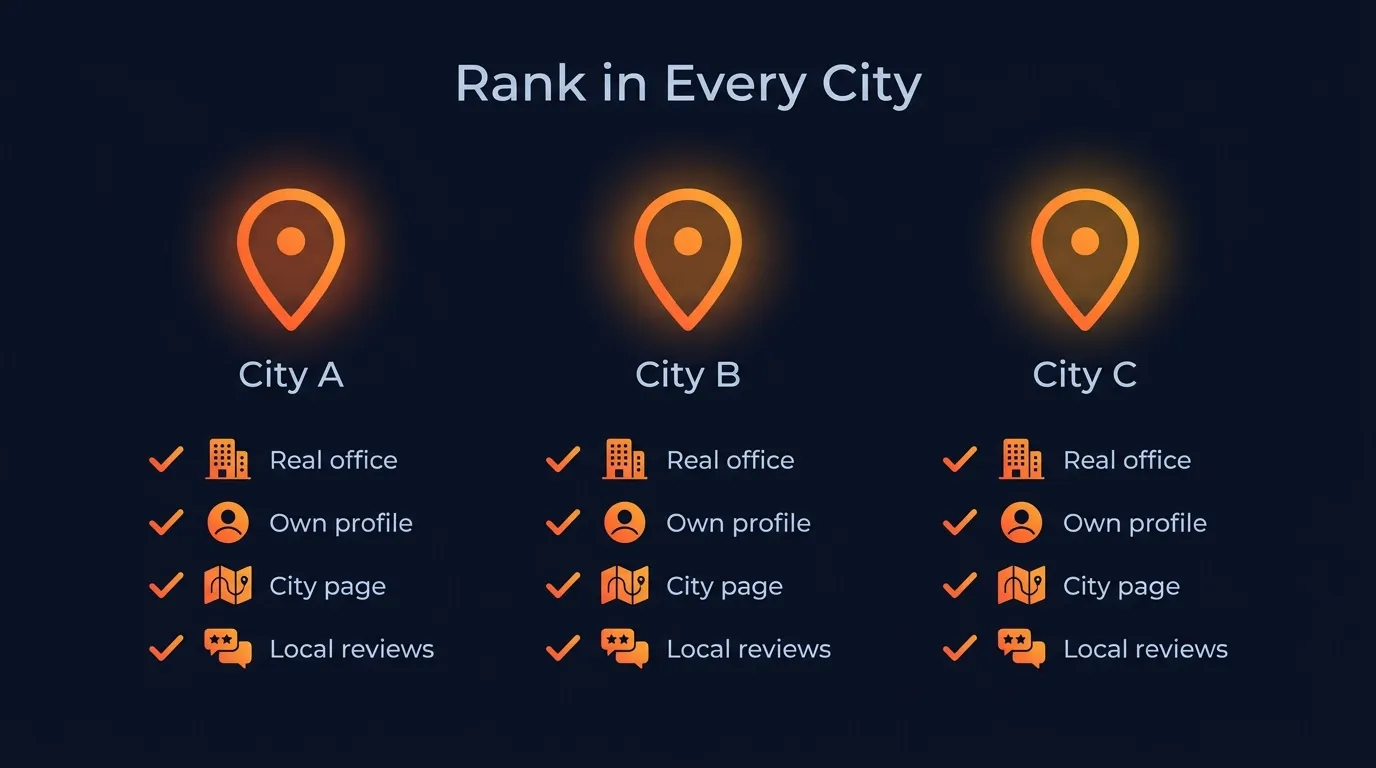 Every city you want to win on the map gets the full stack, not just a mention on your homepage.
What makes a city page good? Whitespark’s service area landing page guide says to avoid thin, copy-paste pages and make each one different with local reviews, photos and advice. For an HVAC company, the Roseville page should show Roseville installs, quote Roseville customers and talk about the local heat. For a roofer, it should show roofs from that city and the storm damage that hits there.
Sterling Sky’s 2025 study of 8,186 businesses in 200 cities also found a slight positive link between more real content on the linked landing page and better map rankings. That’s one more reason to link each profile to its own city page instead of your homepage. Our local SEO for contractors guide covers how these pages fit with the rest of your site.
How do reviews and photos help a profile rank in its city?
Reviews help a profile rank in its city because Google says more reviews and positive ratings can help local ranking, and recent reviews from that office’s customers keep it active. Photos of real jobs mostly win the click once you show up, and they rank best when they come from work in that city.
Google’s ranking page says it directly: “More reviews and positive ratings can help your business’s local ranking.” In Whitespark’s 2026 report, high star ratings rank number 6 for the map, the number of Google reviews with text ranks number 9, and review recency ranks number 11.
Recency is the one most owners miss. In the Sterling Sky study, reviews gained this month mattered more than the total count. One business that stopped getting reviews for 18 days saw its rankings drop while competitors kept collecting new ones.
Customers care too. BrightLocal’s 2026 consumer survey found:
- 97% of consumers read reviews for local businesses.
- 74% want to see reviews from the last three months.
- 47% won’t use a business with fewer than 20 reviews.
That last one is a big deal for a new city profile. Your main profile might have 300 reviews, but a new office starts at zero. Get it past 20 as fast as you honestly can.
 Real job photos from each city give every profile its own local proof.
Here’s how to run reviews and photos per city:
- Route each review link to the right profile. A job done by the Gilbert office goes to the Gilbert profile, not the main one.
- Ask the same day the job finishes. Send the link by text before the truck leaves the driveway.
- Upload job photos weekly. A fence contractor shows fences from that city. A restoration company shows drying setups from local homes. The Sterling Sky study found photos helped most in visual trades.
- Reply to every review. Google’s ranking page says replying helps you stand out.
- Never pay or trade for reviews. It isn’t worth the risk to a profile you just spent months building.
Strong review flow helps beyond the map too. BrightLocal found 45% of consumers now use AI tools like ChatGPT for local recommendations, up from 6% the year before. Those tools lean on reviews and listings to check a business. We cover that side in how to show up in ChatGPT.
How do you see where you rank, street by street?
You see where you rank street by street with a geo-grid rank tracker, a tool that runs the same Google Maps search from dozens of points across your service area and shows your position at each one as a colored map. One search from your office tells you almost nothing about the rest of the metro.
Local Falcon, one of the popular grid tools, explains it this way: “Every pin represents a unique search request sent to Google Maps from a specific latitude and longitude.” Each point acts like a homeowner standing on that street and searching.
Three numbers to watch, as Local Falcon defines them:
- Share of Local Voice (SoLV): “the percentage of grid points where your business ranks in the top three positions.” This is the one that tracks calls.
- Average Rank (ARP): your average position, only where you show up.
- Average Total Rank (ATRP): your average across the whole grid, counting the spots where you don’t show up at all.
Here’s how to use a grid to win more cities:
- Run a grid for each money keyword. “AC repair,” “drain cleaning,” “roof replacement.” Each one ranks differently.
- Find the fade line. Note the streets where you drop from the top three to off the map.
- Compare it to your calls. If good jobs keep coming from just past the fade line, that’s where an office pays off.
- Rerun it every few weeks. After you launch a new profile, you should see a new green zone form around the new pin as it collects reviews.
Want the phone ringing in a new city before the map catches up? Many owners run Local Services Ads there at the same time, so calls start while the new profile builds.
Own the map in every city you serve
Ranking on Google Maps in more than one city isn’t a trick. It’s a setup. A real office in each city, a profile for each office, a city page for each profile, and a steady flow of local reviews and photos. Then a grid to show you where to go next.
At Ignite Systems, we manage every Google Business Profile a business has. Multi-location businesses get each real office treated as its own profile, with its own tracking number and its own page. We build a dedicated page for every service in every city you serve, run the weekly posts, geotagged job photos and review flow, and track your rankings street by street across your whole service area. Nobody can honestly guarantee the number one spot, but we control the work, and you see every page, post, ranking and call.
Book a Strategy Call. We’ll pull up your business live and show you where you rank today, street by street, and which city should be next.