October 27, 2026
Google Business Profile for Contractors: Run One Profile or Ten Without Getting Suspended
Google Business Profile for contractors: categories, photos, reviews, and how to run one profile per real, staffed location without getting suspended.

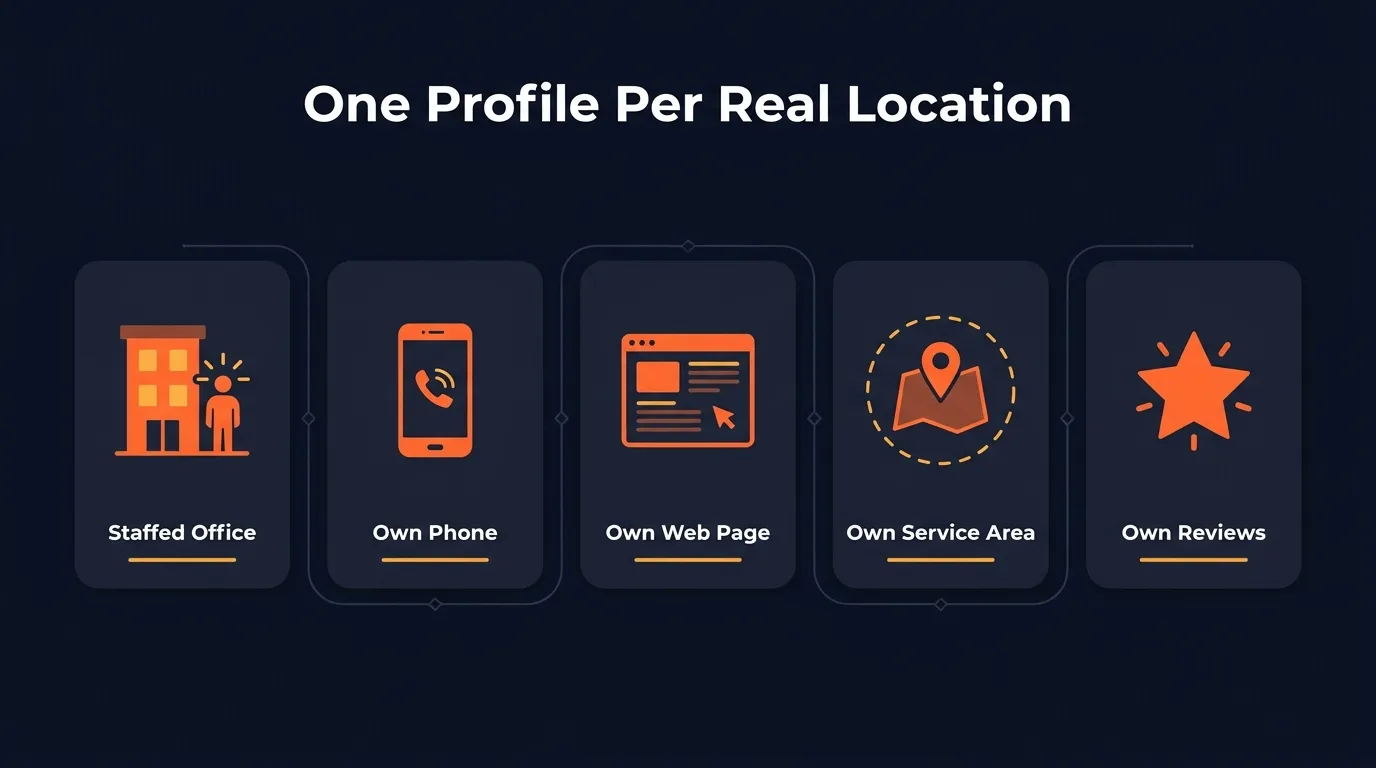
TL;DR: Your Google Business Profile is what puts you on the map when a homeowner searches for your trade. Pick the right primary category, list every service you do, add real job photos every week and earn a steady stream of reviews. If you run more than one real, staffed office, each one can have its own profile, with its own phone number, web page, service area and reviews. Fake offices get suspended.
Most contractors set up their Google Business Profile once, years ago, and never touched it again. I get it. You were busy running jobs. But that profile is the first thing a homeowner sees when they search “plumber near me” or “roof repair” and the map pops up. It decides whether they call you or the company two pins over.
I spent six years in the field as a restoration technician before I started running Google for home service businesses. The pattern is clear: the contractors who win the map don’t treat their profile as a listing. They treat every profile, one per real location, like a page they publish to every week, with services, photos and posts that match a dedicated page on their website.
This guide covers what every trade needs on a profile, then goes deep on the question growing companies ask me most: can you run more than one profile without losing all of them? If you want the bigger picture first, read our guide to local SEO for contractors.
What does a Google Business Profile do for a contractor?
A Google Business Profile puts your company on Google Maps and in the local map pack, the short list of businesses that shows up with a map when someone searches for a service near them, and it is often where a homeowner reads your reviews, sees your photos and decides who to call.
Google says local results are mainly based on relevance, distance and prominence. In contractor terms:
- Relevance: does your profile match the search? A plumber who lists “water heater replacement” beats one that only says “plumbing.”
- Distance: how far you are from the person searching. You can’t fake this, which is why real locations matter.
- Prominence: how well known you are. Google says plainly that “more reviews and positive ratings can help your business’s local ranking.”
The profile also feeds Google’s AI now. Google retired the old Q&A section and replaced it with an AI “Ask” button that answers customer questions from your business info and your reviews. A thin profile gives that AI very little to say about you. The same goes for ChatGPT and the other AI tools: BrightLocal’s 2026 consumer survey found 45% of consumers now use AI tools for local business recommendations, up from 6% the year before. We cover that side in how to show up in ChatGPT.
And every one of those searches ends in a phone call. My uncle once lost an $80,000 job over one missed call, so I never treat the number on a profile as a small detail.
Can one home service business run multiple Google Business Profiles?
Yes, a home service business can run multiple Google Business Profiles when each one is a real location, because Google allows one profile per location only when that location has its own staff and its own service area. A virtual office, a mailbox or a garage you never work out of does not count, and it is a fast way to get suspended.
Here is the exact rule from Google’s Business Profile guidelines: “If you have different locations for your service business, with separate service areas and separate staff at each location, you’re allowed one profile for each location.” The same page says a business without a storefront that travels to customers is “allowed one service-area Business Profile,” and warns: “Do not create more than one page for each location of your business, either in a single account or multiple accounts.”
So the question is never “how many profiles can I make?” It is “how many real locations do I have?”
 A second profile needs a second real office: a crew, trucks and a door you actually work out of.
The second-location test
Before you open a second profile, run through this list. If any answer is no, don’t open it yet.
- Is it a real place you work out of? Google says a virtual office is not eligible. A coworking desk only counts if it has clear signage, receives customers during business hours and is staffed by your people.
- Is it staffed during business hours? Google says a service-area business “can’t list a ‘virtual’ office unless that office is staffed during business hours.”
- Does it have its own service area? The two profiles should not list the same cities. Joy Hawkins of Sterling Sky told BrightLocal to “never have overlapping service areas on multiple listings, as this is a cause for suspension.”
- Do techs actually run jobs from there? If every job is still dispatched from the main shop, it’s not a second location.
- Would your name be on the door? Google says businesses that show their address “should maintain permanent fixed signage” there.
A plumbing company based in Fresno that opens a shop in Visalia with two techs and a van parked there every day has a second location. A roofer who rents a virtual suite in the next city just to get a pin on the map does not.
| Situation | What Google allows |
|---|---|
| Second shop with its own crew and service area | One profile for that location |
| Virtual office or mail drop in a target city | Not eligible |
| Coworking office with signage, staff and customer hours | Eligible |
| Two profiles for the same business at the same address | Duplicate, not allowed |
| A separate profile for each service you offer | Not allowed, one per location |
| One service area stretched past about 2 hours of driving | Outside Google’s guideline |
How service-area businesses fit in
Most contractors are service-area businesses: you go to the customer, they don’t come to you. Google’s service-area rules say to remove your address from the profile if you don’t serve customers there, that you can list up to 20 service areas, and that your overall area “shouldn’t be more than about 2 hours of driving time” from where you’re based.
Hiding the address does not hide where you are. Google still ranks you from your verified location. Ben Fisher of Steady Demand told BrightLocal that having a physical address “has a massive impact on your ranking radius.” And Whitespark’s 2026 Local Search Ranking Factors lists “physical address in search city” as the fourth most important map ranking factor.
That’s the honest reason a growing HVAC company wants a second office, and why Google polices fake ones so hard.
Keep each profile’s name, phone, page and reviews separate
Once you have two real locations, each profile needs its own identity. If two profiles share a phone number, a web page and a list of cities, Google sees one business wearing two hats.
- Name: use your real business name, the one on your trucks, invoices and signs. Don’t tack on a city or a keyword unless that is truly how the business is named.
- Phone: give each office a local number that rings that office. Google asks for a number that “connects to your individual business location” and prefers local numbers over a central call center. If you use call tracking, Whitespark recommends putting the tracking number in the primary phone field and your real number in the first additional phone field.
- Web page: link each profile to its own location page, not your homepage. Google asks for a website “that represents your individual business location.”
- Service areas: split your cities so no town shows up on two profiles.
- Reviews and photos: ask each customer to review the office that did the job, and post photos from that office’s jobs.
“When we take over a contractor’s Google presence, a multi-location mess we see over and over is two profiles with the same phone number, the same homepage link and the same list of cities. Split the phone, the page and the service areas, and each profile gets its own job to do. That’s when the second office starts pulling its own calls.” Santino Velci
Which categories and services should a contractor pick?
Pick the one primary category that best finishes the sentence “this business is a,” such as Plumber, Roofing contractor or HVAC contractor, and add only a few secondary categories for work you actually do, because your primary category is the strongest ranking factor on the whole profile.
That last point comes straight from Whitespark’s 2026 survey of local search experts, which ranks the primary category number one for map rankings. Google’s own guidelines say to “use as few categories as possible” and to choose categories that complete the statement “This business IS a” rather than “this business HAS a.”
A few examples:
- Plumber: primary “Plumber.” Add a drain category only if drain work is a real part of the business.
- HVAC company: primary “HVAC contractor,” with air conditioning or heating categories if they match how you sell.
- Roofer: primary “Roofing contractor.” Don’t add siding or gutters unless you run those jobs every month.
Then fill in the services list. List every service you do, with a short plain description. Here’s the part most contractors miss: every service on the profile should match a page on your website for that service, in that city. If the profile says “tankless water heater install” and your site has no page about it, Google has no proof you do that work there. That’s the backbone of local SEO for contractors.
How often should you post, add photos and update a profile?
Add fresh job photos every week, publish a short post weekly and check your services, hours and service areas once a month, because a profile that keeps showing real, recent work gives customers and Google’s AI answers current proof that you are active.
I want to be straight about posts: they barely move rankings on their own. In Whitespark’s 2026 report, the number and frequency of Google posts land near the very bottom of the ranking factor list. Photo quality ranks much higher. So photos come first, and posts are there for the customer who is comparing you to two other companies at 9 p.m. with a leak in the ceiling.
Same report, another detail worth knowing: “business open at search time” is the fifth biggest map factor. Accurate hours matter. If you really answer at night, say so. If you don’t, don’t list it.
A weekly routine that works for most trades:
- Upload a few photos from real jobs that week: before and after, the crew on site, the truck in the driveway.
- Publish one post about a recent job or a seasonal service, like furnace tune-ups in the fall.
- Reply to every new review.
- Check for edits Google or the public suggested to your info, and fix anything wrong.
- Once a month, review services, hours, holiday hours and service areas.
If you have two locations, each profile gets this routine with its own photos from its own area.
What gets a contractor’s profile suspended, and how do you avoid it?
Most contractor suspensions come from a short list: keywords stuffed into the business name, a virtual office or fake second location, duplicate profiles, overlapping service areas between your own profiles, and review tricks. Use your real name, real staffed addresses and honest review requests, and you remove most of the risk.
The name one is tempting because it works. Whitespark ranks keywords in the business name as the third biggest map factor. But Google’s guidelines say adding unnecessary information to your name “isn’t permitted, and could result in the suspension of your Business Profile.” If you want a keyword in your name, the only clean way is to make it your real name, on your trucks, invoices and signs, because Google wants the name you use “consistently” in the real world.
The virtual office is the other big one. Joy Hawkins called virtual offices “the landmines of local SEO.” A fence company that buys a mail drop in the next county risks losing that profile and drawing attention to its real one.
Reviews can get you in trouble too. Google’s fake engagement policy bans paying for reviews with money, discounts or free services, and bans asking only happy customers (“selectively solicit positive reviews”).
If you do get suspended, fix the cause first. Then use Google’s appeal tool and attach proof, like a business license or utility bill, where the name and address match the profile.
How do reviews on the profile affect map rankings?
Reviews feed the prominence part of Google’s local ranking, since Google says more reviews and positive ratings can help a business rank, and they also decide whether the searcher calls you, because nearly every homeowner reads them and most want to see recent ones.
The BrightLocal 2026 survey puts numbers on it:
- 97% of consumers read reviews for local businesses.
- 74% want to see reviews from the last three months.
- 68% need at least a 4 star rating before they’ll use a business.
- 80% are more likely to use a business that responds to every review.
Whitespark’s report also found review signals grew in importance for 2026. What wins here is a steady flow, not a burst. A big push followed by six quiet months leaves you with old reviews, and that’s exactly what the 74% above skip past.
The simplest system: send the review link the same day the job finishes, while the customer is still happy the AC is cold. Ask every customer, not just the ones you think will rave, and reply to every review in your own words. With multiple locations, send the link for the office that did the job, so each profile builds its own reputation.
Want to see where your profiles rank right now?
Your profile is one piece of the system. Paid Local Services Ads often sit above the map, and our guide to home service marketing shows how the pieces fit.
At Ignite Systems, we manage every Google Business Profile a business has: services, categories, weekly posts and geotagged job photos. Multi-location businesses get each real office treated as its own profile, with its own tracking number and its own page. Nobody can honestly guarantee you the number one spot, but we control the work, and you see every post, photo and ranking.
Book a Strategy Call. We’ll pull up your business live and show you where every profile ranks today.